- What Is Salary Slip Online Free and Why It Matters Right Now
- Who This Is For Eligibility or Requirements
- How It Actually Works Complete Process
- Comparison Table Free Salary Slip Options Side by Side
- Real Benefits With Numbers Where Possible
- Mistakes Most People Make and the Fix
- Expert Tips That Actually Work
- Frequently Asked Questions
- Quick Summary Take This Away
- Conclusion
If you want to create a salary slip online free in India, this guide shows the exact process, the fields you need, and the tools that actually make the job easy. It also explains how to avoid common mistakes so the slip looks professional and can be used for employees, freelancers, or small business records.
The confusing part for most people is that “free salary slip generator” can mean two different things: a simple PDF tool or a tool that also handles salary structure and deductions. This article clears that up and shows you how to pick the right method for your use case. It is written for Indian HR users, founders, and young professionals who want a quick and clean way to make a payslip without paying for software.
What Is Salary Slip Online Free and Why It Matters Right Now
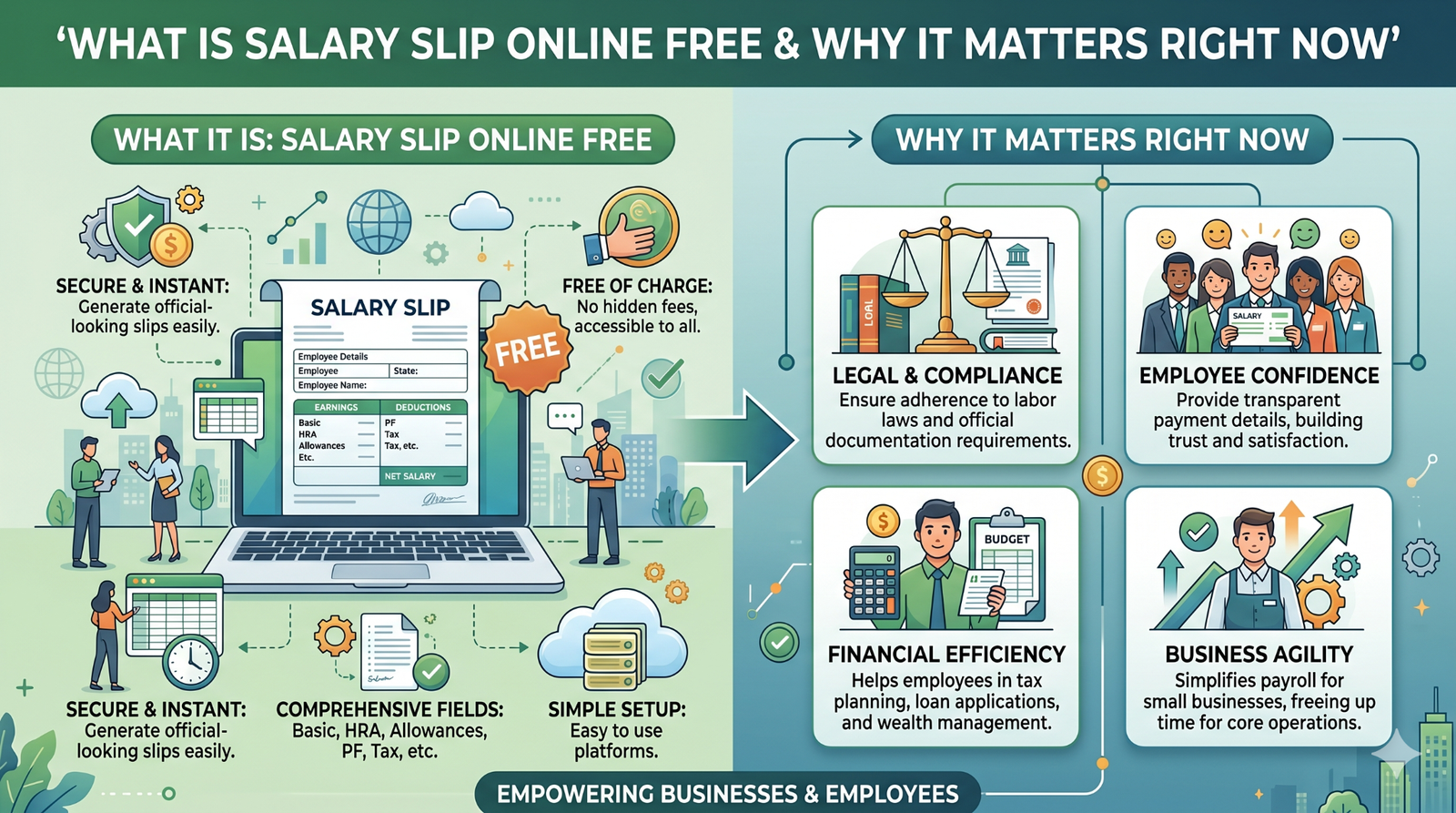
A free online salary slip is a web-based tool that lets you enter company details, employee details, earnings, deductions, and pay period, then generates a payslip instantly. The best versions let you preview the slip, download it as PDF, and sometimes export or print it right away.
This matters right now because a lot of small teams in India do not want full payroll software for a few employees, but they still need proper salary slips. The free online route is useful when you need something fast, clean, and repeatable without buying a full payroll package. A practical example is a startup founder who wants to send slips after salary day without building a spreadsheet every month.
One observation from real payroll use is that people care less about fancy design than they do about whether the slip is easy to read and trust. When the numbers are clear and the format is standard, the slip works better for HR, banks, and employees.
Who This Is For Eligibility or Requirements
This method is for HR interns, small business owners, founders, freelancers, and employees who need a quick salary slip for documentation or internal payroll use. It is also helpful for people who are managing very small teams and do not want to install or learn complex payroll software.
The most important requirement is that you must know the salary breakup before you generate the slip. If you do not have the basic salary, allowances, and deductions ready, the generator will only produce a blank-looking form with numbers that do not mean much.
Here is who benefits most:
- Small businesses with low employee count. They usually need a fast tool and a professional output, not a full payroll system.
- Freelancers and consultants. Some tools allow them to generate proof-of-income style slips for documentation use.
- HR beginners. They need a simple, guided format that can be completed in a few steps.
- Employees checking their structure. They can use the same logic to understand their earnings and deductions.
Who should not rely only on a free generator is a company with recurring PF, ESI, TDS, and monthly payroll complexity. In that case, a payroll platform is safer because a basic generator will not manage the full process by itself.
How It Actually Works Complete Process
The first step is choosing a tool that clearly supports Indian-style salary slip fields. Look for company name, logo, employee details, pay period, earnings, deductions, and net pay in the tool interface. If the tool only asks for a name and amount, it is too basic for serious use.
Next, enter the company and employee information carefully. This usually includes company name, employee name, employee ID, designation, pay month, and sometimes PAN, UAN, or bank details depending on the tool. The key here is consistency, because one misspelled name or wrong month can make the slip look unprofessional.
Then fill the salary components. Add basic salary, HRA, allowances, incentives, deductions, and any loss of pay or recovery if the tool supports it. This is the stage where most users make the mistake of adding only one salary amount and skipping the breakup, but a proper slip should show how the final number was reached.
After that, review the preview carefully. Check whether gross earnings, total deductions, and net pay are being calculated correctly, and make sure the layout still looks clean on screen. What nobody warns you about here is that a slip can look fine in preview and still print awkwardly if the spacing is bad, so always check the final download before sharing it.
Finally, download the salary slip in PDF and save a copy for records. Some tools also allow Excel or direct email export. In practice this means you should keep one final PDF version and one working record so you do not have to rebuild the same slip later.
Comparison Table Free Salary Slip Options Side by Side
| Name/Option | Key Feature | Best For | Limitation | Verdict |
| Zoho free payslip generator | Structured form with company, employee, earnings, deductions, and PDF output | HR users who want a simple guided flow | Better for slips than for full payroll management | Best balanced free option |
| Razorpay payslip generator | Fast PDF creation with clean online flow and monthly pay period fields | People who want a quick India-style slip | More focused on generation than full payroll structure | Best for speed and polish |
| SalaryBox slip generator | Flexible salary slip generation with payroll-style extras | SMEs and HR teams that want more control | Can be more than a simple one-off generator | Best if you may grow into payroll |
| Basic free tool | Minimal fields and instant output | One-time or very small use | Weak on structure and compliance depth | Best only for basic needs |
If you only need one slip quickly, a basic generator is enough. If you want cleaner structure and better long-term use, Zoho or Razorpay style tools are the safer choice. For a small team that may grow, a generator with payroll-style features is usually the better bet.
Real Benefits With Numbers Where Possible
The biggest benefit is speed. A free online generator can create a salary slip in just a few minutes once the details are ready, which is much faster than building one from scratch in Word or Excel. When you actually try this, the difference is obvious the first time you need multiple employee slips in the same day.
Another benefit is cleaner formatting. Most online tools use a ready-made salary slip layout, so the output looks professional even if the user is not skilled at design. That matters a lot when the slip is being shared with employees or used as a basic income proof document.
A third benefit is less manual error. When the fields are structured, you are less likely to forget pay period, deductions, or the final net amount. This is especially useful for small offices where one person is juggling HR, admin, and accounts at the same time.
A benefit many people overlook is confidence. When the slip is clean and standard, employees trust it more because the breakdown is easier to read. That often reduces the back-and-forth messages HR gets after salary day.
Mistakes Most People Make and the Fix
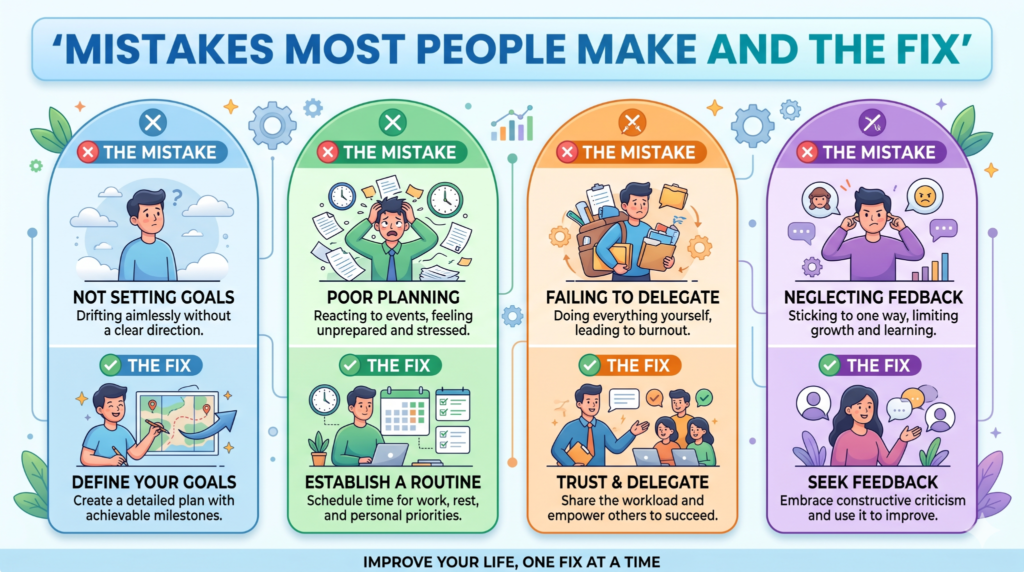
One mistake is choosing the first free tool without checking what it actually supports. People do this because they want a quick result and assume all generators work the same. The consequence is often a weak slip that misses important salary fields. The fix is simple: check for earnings, deductions, net pay, and PDF download before you use it.
Another mistake is entering approximate numbers instead of final numbers. This happens when the salary is still being discussed or when someone wants to “just test” the slip. The result is a document that looks official but contains figures that may not match payroll. Always use final approved numbers before downloading the slip.
A third mistake is ignoring the pay period. This is something many users make without realizing it right now. They fill the salary amount but forget to update month and year, which creates confusion later when the employee saves the slip. Always check the pay month first, then the employee details, then the amounts.
A fourth mistake is not checking how the slip looks after download. A tool may show a clean preview, but the PDF can still have spacing issues or cut-off text. The fix is to open the downloaded file once before sending it to anyone.
A fifth mistake is using a free generator for a payroll process it was never meant to handle. This happens when a company grows but keeps using a basic tool out of habit. The result is more manual work every month. Once deductions and headcount start growing, it is better to move to proper payroll software.
Expert Tips That Actually Work
Keep a master copy of the salary breakup before you open the generator. That saves time because you can paste the same structure every month instead of hunting for numbers again.
Use a clear naming pattern when you save files. A format like company name, employee name, month, and year makes old slips much easier to find later.
Always check whether the tool allows custom fields. Some salary slips need PAN, UAN, bank details, or leave details, and a tool without those options can feel too rigid.
If the tool lets you preview before download, use that preview like a final review screen. The thing that surprises many people is that most errors are visible there if you slow down for ten seconds and look carefully.
Save the PDF immediately after download and back it up in a proper folder. Free tools are convenient, but the real risk is not generation; it is losing the final file later.
If you need slips often, choose a tool with bulk-friendly workflow or employee portal features. A one-slip tool is fine for a one-off task, but regular monthly use needs more structure.
Frequently Asked Questions
How to create a salary slip online free in India?
Choose a free salary slip generator, enter company details, employee details, pay period, earnings, and deductions, then download the PDF. Most good tools show a preview before download so you can verify the slip. This is the fastest method for small teams and one-off payroll needs.
Is a free salary slip generator safe to use?
It depends on the tool. Some generators are built for quick use and keep the process simple, while others are part of a larger payroll platform. Always check whether the output is downloadable in PDF and whether the fields match what you need.
Can I generate salary slips without payroll software?
Yes, you can use an online payslip generator instead of full payroll software. This is useful for small businesses, freelancers, and HR beginners. It works best when the salary structure is simple and already decided.
What details are needed to make a salary slip online?
You usually need company name, employee name, employee ID, month, pay period, earnings, deductions, gross pay, and net pay. Some tools also ask for PAN, UAN, or bank account details. The more complete the input, the more professional the final slip looks.
Can freelancers create salary slips online free?
Yes, some free generators allow individuals and freelancers to create salary or income-style slips for documentation use. The output is most useful for proof-of-income style needs, not formal company payroll. Always keep the details accurate and consistent.
Which is better: PDF or Excel salary slip?
PDF is better for sharing the final slip because it cannot be easily edited. Excel is better for calculations if you need to change values often. Most users create in a generator or spreadsheet and save the final copy as PDF.
Do online salary slip generators calculate deductions automatically?
Some do, and some only format what you enter. A better generator will calculate gross pay, deductions, and net salary for you. Check this before using the tool so you know whether it is just a form or a real helper.
Can I make salary slips for multiple employees online?
Yes, some platforms support bulk generation or employee portal workflows. Free single-slip tools are better for individual use, while payroll platforms are better if you have many employees. For regular use, bulk support saves a lot of time.
Quick Summary Take This Away
Creating a salary slip online free in India is easy when you use the right tool and have the right salary details ready. The process usually means entering company details, employee details, earnings, deductions, and pay period, then downloading the slip as PDF. If you keep the numbers accurate, the output can look professional and work well for small business or personal use.
The main difference between tools is depth. Some are simple pay slip makers, while others give you a more structured payroll-style flow with better fields and cleaner output. That is why you should choose based on your real use case, not just because the tool is free.
If you only need one or two slips, a basic online generator is enough. If you need repeat monthly slips, choose a tool with better formatting and more control. Save the PDF, keep the numbers consistent, and check the final file before sending it.
Conclusion
A free online salary slip generator is the fastest way to make a clean salary slip in India when your payroll is simple. It works best when you know the salary breakup in advance and want a professional file without building everything manually. That makes it a very practical option for small teams, HR beginners, and freelancers.
The smartest approach is to use the generator for speed, then review the output carefully before saving the final PDF. If your salary process grows more complex later, move to payroll software instead of forcing a basic tool to do more than it can handle. That keeps your payroll work easier and your records cleaner.
Once you get the workflow right, making salary slips stops feeling like a task. It becomes a quick monthly routine.